

OpenAI’s Business Hub gives businesses a way to manage information in ChatGPT and see aggregated activity. Eligible online businesses in Mexico can begin claiming and preparing their information where ChatGPT is supported, subject to verification. Business Agents, which let customers have a separate conversation with a business, currently serve eligible US ecommerce and online service businesses. Mexican businesses can prepare the information those future conversations will need.
What OpenAI announced
Business profile
Business Hub
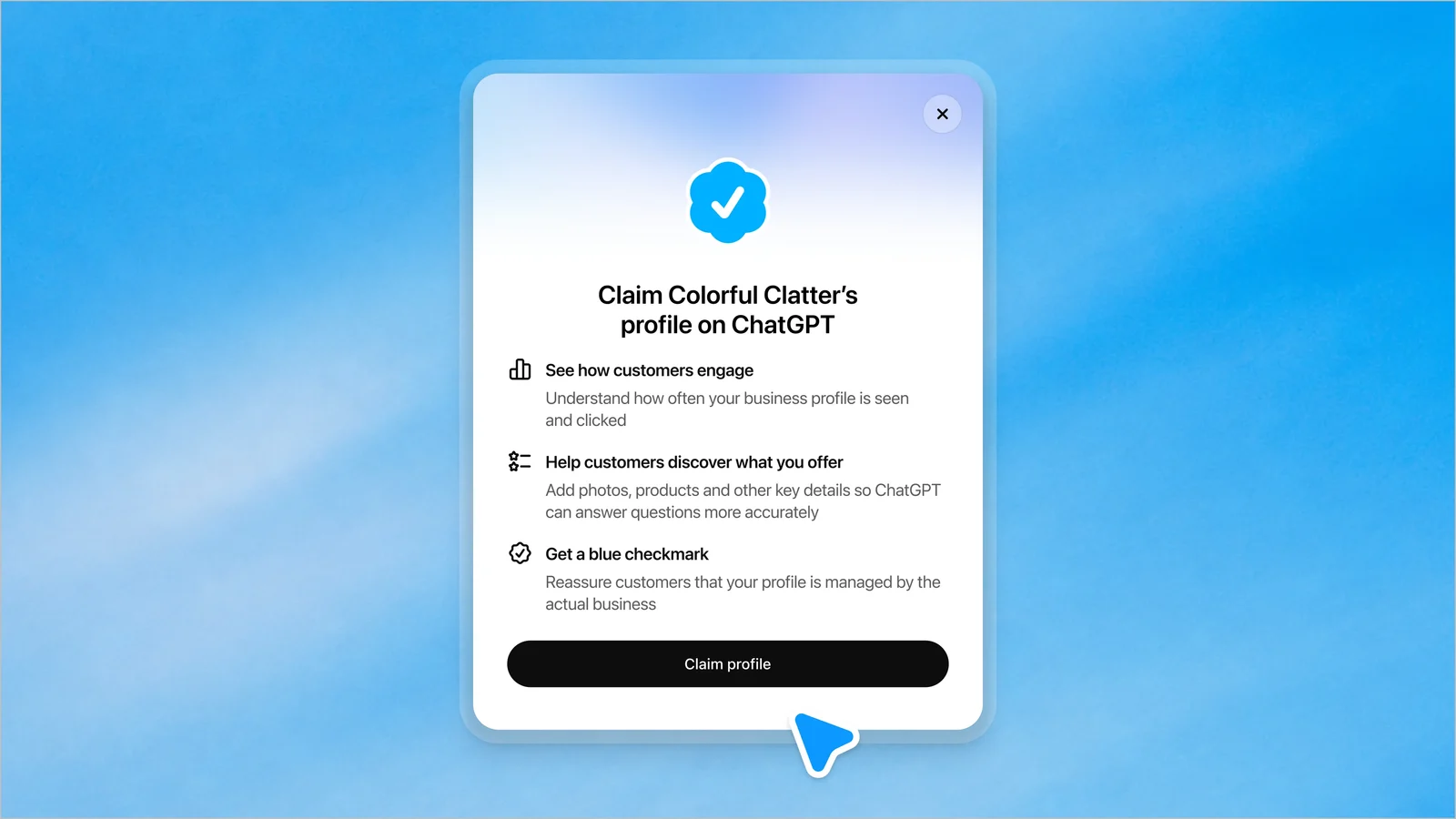
Business Hub lets businesses manage their information and view aggregated activity in ChatGPT. Businesses can provide their details directly.
Current catalog
Product feeds
Product sellers can use supported feeds for product information, prices, and availability. Shopify is one option, but is not required to claim a business.
Customer conversation
Business Agents
Business Agents are separate branded conversations where customers can ask about a business's products or services. Businesses can also sponsor their agent and use it as an advertising destination. This is separate from keeping business information accurate.
Business Hub is one information channel. ChatGPT may use other sources too, so a complete profile does not control every answer or guarantee that a business will be recommended.
What businesses can use now
| Business or feature | Availability and next step |
|---|---|
| Eligible online businesses | Claiming extends beyond the US where ChatGPT is supported, subject to requirements and verification. Start the claim and prepare accurate business details. |
| Product sellers | Supported feeds can provide product details, prices, and availability. Review feed support and product attributes, then keep catalog data current. |
| Local stores and restaurants | The local claim path currently requires an existing US listing. Organize location details and customer information while awaiting broader availability. |
| Business Agents | Available to eligible US ecommerce and online service businesses. In Mexico, prepare offerings, answers, policies, and useful website destinations. |
See OpenAI’s setup guide for current requirements. No Mexico launch date for agents has been published.
How to claim and prepare your business
Find your business
Open Business Hub and look for your business or the option to add it. If an eligible online business is not listed, use the option to add it when offered.
Verify ownership
Follow the ownership verification steps. Complete Persona identity verification when prompted. OpenAI requires identity verification to publish business information, connect a product feed, and view insights.
Update your details
Review the business name, description, category, website, contact details, hours, and policies. Correct information that is outdated or inconsistent with what customers see elsewhere.
Connect your catalog
If you sell products and a supported feed is relevant, connect it or ask your ecommerce provider about the available path. Review product names, variants, attributes, prices, and availability before sharing them.
Assign account access
Keep ownership of the account with your business. If an agency helps, grant it access through the available permissions rather than transferring ownership or sharing credentials.
Use OpenAI’s setup guide for current steps. A claim does not replace your website, retailer listings, documentation, reviews, or other sources that may inform answers.
A checklist to run this week
Treat this as an initial review:
- Claim and verify your online business if it is eligible.
- Compare the information in Business Hub with your website and other important customer-facing pages.
- Prepare your product catalog or service details, as relevant. Include current prices or availability only where you can maintain them.
- Write down the questions buyers ask before they choose: a consumer brand might examine fit, ingredients, compatibility, delivery, or returns; a SaaS company might examine integrations, implementation, security, or support.
- Ask those questions in ChatGPT, save the answers and cited sources, then repeat the same questions later. Record what changed and what remains unclear.
- Prioritize factual corrections on the sources customers and assistants can reach. Give each correction an owner and a review date.
For repeatable comparisons across questions, models, and runs, see our AI visibility measurement guide. Our guide to how to appear in ChatGPT covers the other channels.
Prepare for Business Agents without waiting for a launch date
Prepare descriptions of what you offer and who it is for; specifications, integrations, or requirements; current policies; answers to recurring customer questions; and links to purchase, demo, contact, or support. Assign an owner to keep each item current.
This information can help customers and your team today. Agent setup remains future preparation for Mexican businesses.
Two examples of useful preparation
Consumer brand
Product information
Reconcile product names, sizes or variants, ingredients or materials, prices, and availability across your catalog and retailer pages. Check that return and delivery information is easy to find. The output could be a list of discrepancies with a source and owner for each correction.
B2B/SaaS business
Service knowledge
Gather the current descriptions of plans, integrations, implementation requirements, support coverage, and approved security answers. Compare sales materials with public documentation, then identify missing or conflicting answers. This gives buyers and internal teams a clearer reference, whether or not an agent is available.
Both examples illustrate preparation work for the two types of business.
How reasoning.agency can help
We help with Business Hub setup and prepare business information, relevant product feeds, and clear product, service, and policy answers. You can request help directly, without a study. We agree the scope before work begins; your business retains account and information ownership.
Get help with Business Hub setup
If your separate question is how assistants currently describe your brand and competitors, you can request a free initial AI visibility study for an initial view.
Common questions
Is ChatGPT Business Hub available in Mexico?
Eligible online businesses can claim where ChatGPT is supported, subject to the requirements and verification. Local stores and restaurants currently need an existing US listing to use the local claim path. Check OpenAI’s current setup guide for the latest conditions.
Do I need Shopify?
No. Shopify is one supported product-feed option for eligible sellers. A claim and business profile are useful independently; connect a supported feed if you sell products and it fits your setup.
Do I need a Business Agent or advertising?
No. Agents are currently limited to eligible US ecommerce and online service businesses. You can prepare accurate information in Mexico without launching an agent or buying advertising.
Can an agency help me set it up?
Yes. Your business should retain account ownership and grant the agency access using available permissions. Agree the setup work and handoff before access is provided.
Will claiming my business change ChatGPT’s recommendations?
A claim supplies information through Business Hub but does not guarantee a mention or recommendation. ChatGPT may also use other sources. Check answers and correct inaccurate or incomplete information.